
State: Product Activated


Official Version
Official version provided by the developers. Licensed under the GNU GPL, allowing use on an unlimited number of sites.
Technical Support
Professional assistance with any technical issues. Support is included in the price. Read our Support Policy.
Guarantees and Safety
100% safe and fully functional product. Completely risk‑free. 14‑day money‑back guarantee. Read our Refund Policy.
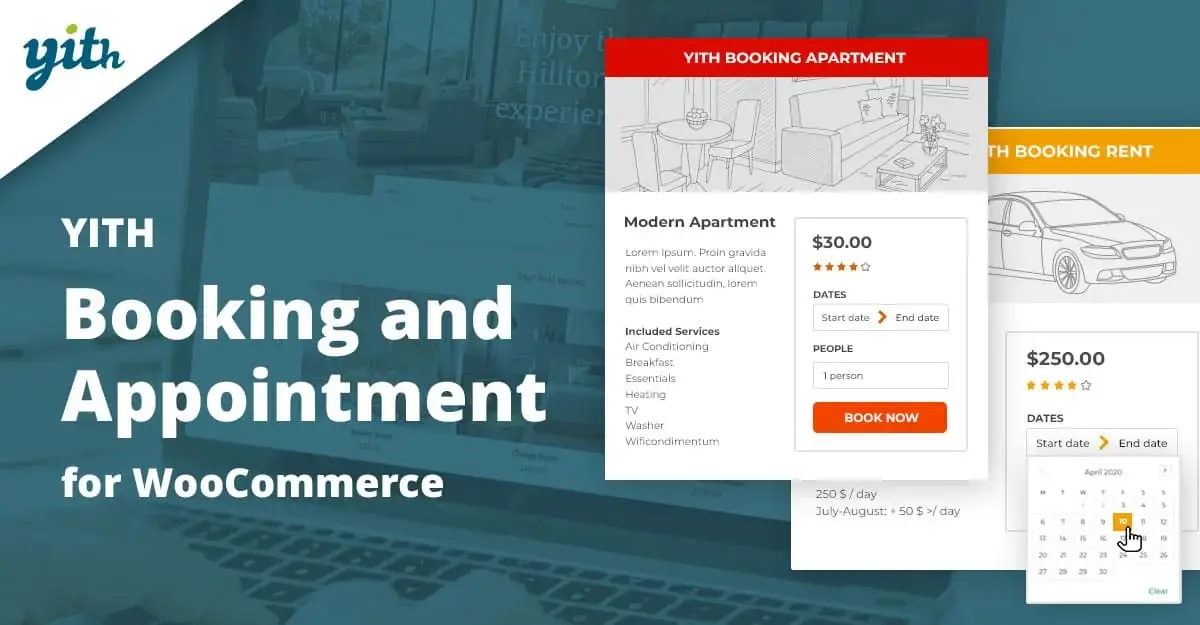
YITH Booking and Appointment for WooCommerce is what I’d use when a store needs WooCommerce checkout and order handling, but the product itself is not a simple physical item—it’s a reservation, slot, session, rental period, or appointment window. That changes everything. The “product page” stops being just price + add to cart and becomes availability logic, duration rules, date selection, resource limits, and edge-case prevention.
So this plugin is not really about adding a calendar widget. It’s about extending WooCommerce products into time-based inventory.
At the data level, the plugin attaches booking logic to WooCommerce products through product meta, custom admin settings, and frontend date/time selection fields. The order still flows through WooCommerce, but the cart item carries booking-specific metadata such as:
That booking data is then transferred into order item meta so the reservation survives checkout and can be managed from the order/admin side.
The important structural point is this: WooCommerce still owns the order, payment status, emails, and customer account flow. YITH adds booking rules and availability logic on top. That means most serious issues come from the interaction between those two layers, not from isolated frontend styling.
Common moving parts include:
If any one of those fails, the customer experience breaks fast: dates don’t load, unavailable slots become selectable, prices calculate wrong, or the cart accepts a booking that should have been blocked.
The first category is frontend availability logic failing because of optimization or AJAX interference.
A real pattern: the date picker appears, but available slots don’t refresh after selecting a date, or the price never updates. In that case, the product page HTML is there, but the script responsible for booking initialization or AJAX refresh is broken. I check:
If the site has JS delay enabled, booking UI is one of the first things I test manually. These systems are timing-sensitive. Delayed or reordered assets can break:
Fast fix path:
The second category is availability conflicts and overbooking concerns. This is the part store owners worry about most, and correctly. If two users can reserve the same slot, the plugin has failed at its main job.
In practice, overbooking can happen from:
That last point matters. Some people expect “calendar plugin” to mean full external calendar synchronization and enterprise-grade conflict resolution. Unless explicitly configured and supported, you should not assume that. WooCommerce booking plugins are strong at product-based reservation logic, but cross-platform scheduling sync is a separate architecture problem.
So when I validate a booking setup, I test with two browsers/private sessions and intentionally try to create the same reservation path at nearly the same time. If the business depends heavily on avoiding conflicts—rentals, clinics, consultants, class limits—I treat concurrency testing as mandatory, not optional.
The third issue is pricing logic drift. Booking plugins often allow layered cost rules: base cost, per-person cost, duration multipliers, seasonal pricing, fixed blocks, extra services. That’s powerful, but it also means admins create contradictory rules without realizing it.
When totals look wrong, I do not start with CSS or page builder settings. I map the pricing sequence:
Usually the problem is in rule stacking, not math itself.
This plugin sits in one of the most conflict-prone parts of WordPress: WooCommerce product pages with dynamic JS, AJAX, pricing logic, checkout flow, and order meta.
That means the highest-risk combinations are:
If the store runs a premium WooCommerce theme with custom single-product templates, I verify the booking form is hooked where the plugin expects it. Some themes move the add-to-cart section, wrap product forms unusually, or override Woo templates in ways that partially break booking rendering.
And if the site uses optimization, the booking product pages should usually have more conservative settings than brochure pages.
All products we provide come only from official sources and verified developers. To confirm their integrity and safety, the archive has been scanned for viruses and malware. You can review the scan results at any time by clicking the button below.
View in VirusTotalOn my side, this product is activated, functional, and manually checked. In standard WordPress use, the plugin can operate once installed, but official license connection usually controls the convenience layer rather than raw execution.
Without official activation, what you generally miss is:
Manual updates are easy enough through Plugins → Add New → Upload Plugin or by replacing the plugin folder over FTP. But with booking systems, updating is not “upload and forget.” After every update, I test:
That test loop matters more here than with a basic display plugin, because the plugin touches both product logic and order metadata.
Also, never assume a successful update means safe operation. If the booking product page looks normal but the order no longer stores the selected slot correctly, the site is functionally broken even if no fatal error appears.
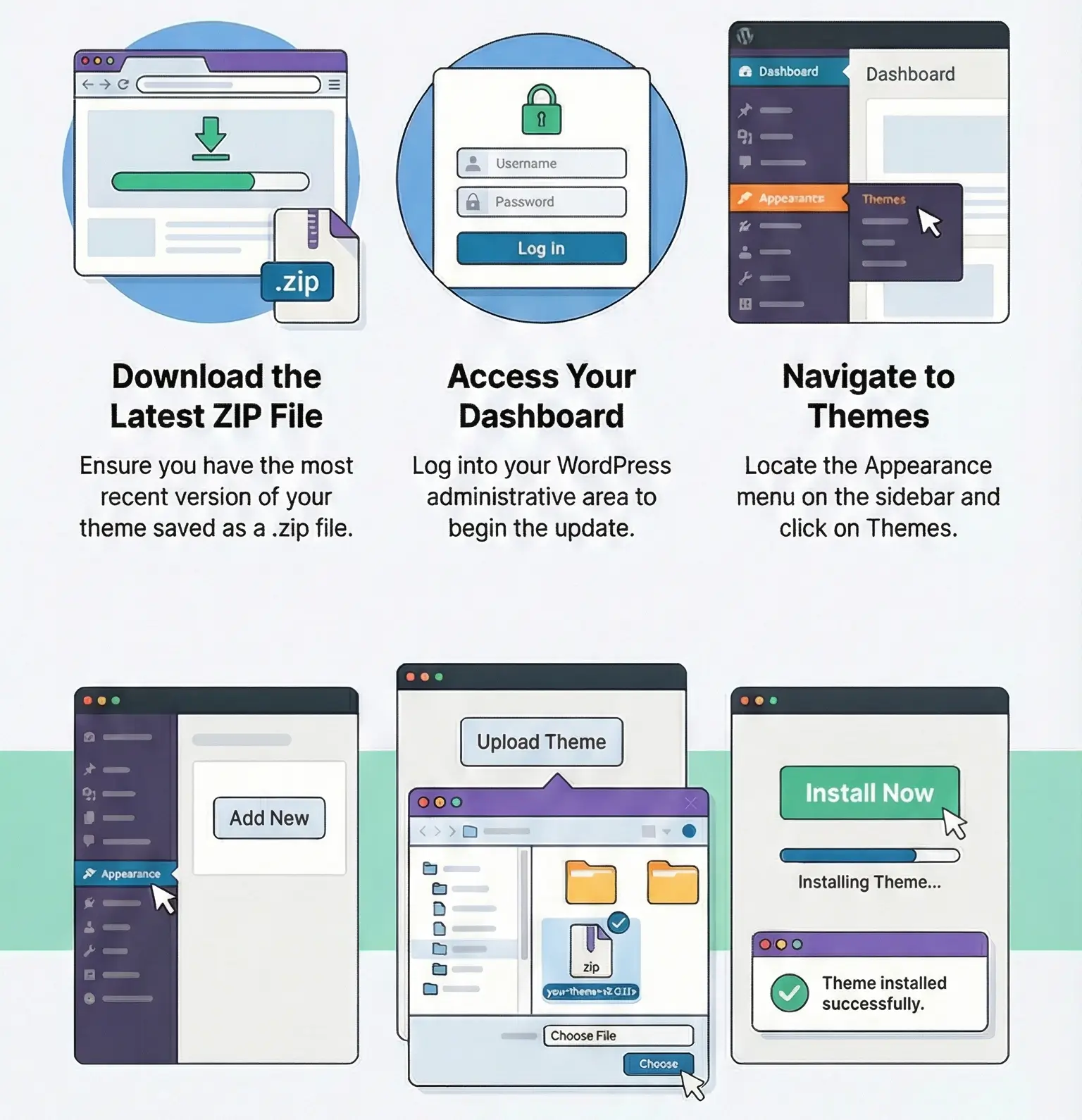
You can find detailed instructions on how to update a theme or plugin on this page.
No. It’s a booking logic layer on top of WooCommerce products, including availability, duration, pricing, and order metadata.
Usually a frontend JS/AJAX conflict caused by optimization, minification, delayed scripts, or theme-level product page customization.
It is designed to manage availability, but real reliability depends on correct configuration, caching behavior, concurrency handling, and testing under realistic booking conditions.
Existing order-linked booking data should remain in the database. The real risk after update is broken frontend logic, changed rule handling, or metadata flow issues—so always test the full booking path.
You can use any product from our store on as many websites as you like.
After purchasing a product, you’ll be able to download it — including the most recent version — for the next 72 hours. Once that period ends, you can either repurchase the product or switch to one of our membership plans.
With an active membership, updates are always included. You’ll have continuous access to the latest versions for as long as your membership remains active, without worrying about expiration dates.
Yes, we do. In most cases, you can expect a reply within 24–72 business hours. For simpler issues, we’re often able to respond much sooner.
You can contact us via live chat or open a support ticket directly from the product page — whichever is more convenient for you.
No, there are no limits. We don’t believe in restricting downloads. If you need to download a product multiple times, that’s absolutely fine.
We use professional, high‑performance storage systems to ensure downloads are fast, stable, and hassle‑free.
No, license keys are not included. In the past, license sharing and related issues caused account problems, so we decided to stop distributing keys.
That said, all products you receive are fully authentic. For items that normally require activation, we provide them pre‑activated, allowing you to install and use them immediately without dealing with license input or activation errors.
Yes — 100%. All products are original and distributed under the GNU GPL v2/v3 license.
The main difference compared to purchasing directly from the original author is that we don’t offer additional services such as custom development or one‑on‑one support. License keys are also not included. Instead, products that typically require activation are delivered ready to use, allowing installation on unlimited websites.
Yes, we stand behind our products. If you encounter an issue that cannot be resolved or a technical problem without a workable solution, we’ll do our best to help — and if necessary, issue a full refund.
Please note that refunds are not available if the product works as described but simply does not meet personal expectations. We’ve also encountered cases where refund requests were made while the product was still in use, which we cannot allow.
Our approach is simple: fairness and transparency. If you ever have a concern, just reach out — we’re always open to finding a reasonable solution that works for both sides.



Reviews
There are no reviews yet.