
State: Unlimited Usage


$5.99
State: Unlimited Usage
Original GPL Package
We redistribute the original GPL-licensed package files. Nodub.com is an independent service and is not affiliated with the original developer or ThemeForest.
Technical Support
Expert help with any technical issue. Dedicated Nodub.com support is included. Official support from the original vendor is not included. Read our Support Policy.
Guarantees and Safety
100% safe, fully functional product. Completely risk-free for every customer. 14-day full money-back guarantee. Read our Refund Policy.
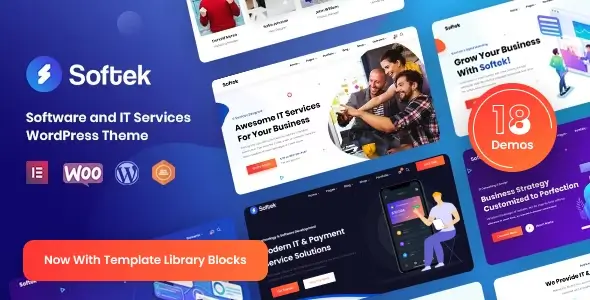
I tested Softek – Software & IT Solutions WordPress Theme on a clean WP install and then on a half-messy client staging site, because apparently I enjoy pain. The theme does work, and I didn’t hit any domain limit nonsense in my setup. Unlimited Website Usage was fine from a practical standpoint: install ZIP, activate theme, install bundled plugins, import demo, done.
Activation is mostly about updates/support, not “will the front-end load or not.” If you have the package, Softek runs without me babysitting some license popup every five minutes. For manual updates, I just replaced the theme ZIP via Appearance -> Themes -> Add New -> Upload Theme, then re-saved permalinks. Boring, but it works.
The demo import is under Appearance -> Import Demo Data in my build. It pulls Elementor layouts, menus, widgets, and a stupid amount of placeholder content. On a fresh install, fine. On an existing site, it will make your admin feel like someone poured soup into the database.
Most of the junk lands in wp_posts, wp_postmeta, and wp_options. Elementor pages especially bloat wp_postmeta with _elementor_data. I had to clean old demo pages manually because the importer doesn’t politely ask what you actually need. Classic WordPress theme behavior. What were they thinking? No, really.
The nice part: Softek Theme is very Elementor-heavy, so most homepage sections are editable from Pages -> Edit with Elementor. Hero text, buttons, service cards, counters, partner logos — all the usual SaaS template furniture.
Global colors and fonts were split between Elementor Site Settings and the theme panel. In my install, typography lived around Theme Options -> Typography, while some button colors still listened to Elementor globals. That dual-control setup drives me nuts. Pick one system, people.
Header layout, logo, sticky header, footer widgets, and basic blog settings were manageable from Appearance -> Customize plus the theme options panel. Not elegant, but workable.
The annoying bits are in PHP templates. Header markup was in header.php, while helper output was scattered through inc/template-functions.php. Theme setup stuff — menus, image sizes, supports — was in something like inc/class-theme-setup.php in my copy.
I wanted to remove the extra wrapper around breadcrumbs. Couldn’t do it cleanly from Elementor. I ended up overriding the breadcrumb output via a small child theme and hooking into softek_before_content instead of hacking the parent. Never edit the parent unless you enjoy losing work during updates.
Some post meta output was also baked into template parts under template-parts/blog/. Date, author, category badges — all that “business blog” clutter. Builder won’t save you there.
I opened DevTools -> Network and immediately saw the usual party: multiple font weights, Elementor CSS, Swiper, animations, icon fonts, and a few theme scripts that absolutely did not need to load on every page.
On my homepage, Softek loaded five font weights before I trimmed them in Theme Options -> Typography and Elementor Site Settings -> Global Fonts. I also dequeued one unused icon pack in functions.php with wp_dequeue_style() because the client used maybe six icons total. Six icons do not deserve a whole font library. Fight me.
The DOM tree got chunky fast. Elementor nested sections inside columns inside inner sections because apparently divs reproduce at night. Mobile Lighthouse wasn’t happy until I rebuilt the hero with fewer nested containers.
Here’s the real-world breakage: when I enabled JS delay in WP Rocket, the mobile menu stopped opening. Console showed nothing useful, just the button sitting there like a decorative fossil.
The fix was to exclude jquery-core, elementor-frontend, and the theme’s main script handle — in my case it looked like softek-main — from delay. If WooCommerce is installed, also don’t delay wc-add-to-cart-variation.js, because product variations will silently die and your client will swear “it worked yesterday.”
For CSS minification, Softek – Software & IT Solutions WordPress Theme survived fine, but combining CSS made some Elementor responsive rules load in the wrong order. I left combine off and used critical CSS instead. Less heroic, fewer headaches.
I tested the theme as a normal WordPress install, not some weird patched circus. It worked fully on local and staging, with no practical site-count restriction in my testing. That’s what Unlimited Website Usage means to me: I can spin up dev, staging, and client installs without the thing throwing a tantrum.
Keys are for convenience: automatic updates, support, sometimes remote demo assets. If the demo content is bundled, import works normally. If the vendor locks remote assets behind purchase verification, don’t waste your afternoon trying to “fix” that. Just do manual updates with the ZIP and keep a child theme for changes.
Yeah, for a software agency, IT services site, SaaS landing page, or some “AI automation consulting” client who wants gradients and buzzwords by Friday. Softek Theme looks polished enough out of the box and doesn’t fight Elementor too badly.
But I would budget cleanup time. Remove unused demo pages, trim fonts, rebuild the worst Elementor sections, and check mobile menu behavior after caching. It’s not a bad theme. It’s just very WordPress. And I mean that in the tired developer way.
Why does the mobile menu break after optimization?
Usually delayed JS. Exclude jquery-core, elementor-frontend, and softek-main or whatever the theme main handle is called.
Can I edit the header in Elementor?
Partly. Logo/menu settings are in Customizer or theme options. Structural header markup still lives in header.php and related PHP helpers.
Why is the homepage so heavy after demo import?
Elementor demo layouts dump tons of nested markup into _elementor_data in wp_postmeta. Rebuild key sections with containers if you care about speed.
Is Softek – Software & IT Solutions WordPress Theme safe for client sites?
Yes, if you use a child theme, keep manual update backups, and don’t blindly import every demo onto a live database.
All products we provide come only from official sources and verified developers. To confirm their integrity and safety, the archive has been scanned for viruses and malware. You can review the scan results at any time by clicking the button below.
View in VirusTotal| Feature | Nodub GPL Package | Official Vendor |
|---|---|---|
| Package files | Yes | Yes |
| GPL Redistribution | Yes | N/A |
| Official License Key | No | Yes |
| Unlimited Website Usage | Yes | No |
| Official Developer Support | No | Yes |
| Nodub.com Support | Yes | No |
| Automatic Vendor Updates | No | Yes |
| Manual Updates | Yes | Yes |
You can use any product from our store on as many websites as you like.
Single purchase includes download access for 72 hours. Future version downloads require repurchase or an active membership.
Manual updates are available to customers with active access.
Yes, we do. In most cases, you can expect a reply within 24–72 business hours. For simpler issues, we’re often able to respond much sooner.
You can contact us via live chat or open a support ticket directly from the product page — whichever is more convenient for you.
No, there are no limits. We don’t believe in restricting downloads. If you need to download a product multiple times, that’s absolutely fine.
We use professional, high‑performance storage systems to ensure downloads are fast, stable, and hassle‑free.
No, license keys are not included. In the past, license sharing and related issues caused account problems, so we decided to stop distributing keys.
That said, all products you receive are fully authentic. For items that normally require activation, we provide them pre‑activated, allowing you to install and use them immediately without dealing with license input or activation errors.
Yes — 100%. All products are original and distributed under the GNU GPL v2/v3 license.
The main difference compared to purchasing directly from the original author is that we don’t offer additional services such as custom development or one‑on‑one support. License keys are also not included. Instead, products that typically require activation are delivered ready to use, allowing installation on unlimited websites.
Yes, we stand behind our products. If you encounter an issue that cannot be resolved or a technical problem without a workable solution, we’ll do our best to help — and if necessary, issue a full refund.
Please note that refunds are not available if the product works as described but simply does not meet personal expectations. We’ve also encountered cases where refund requests were made while the product was still in use, which we cannot allow.
Our approach is simple: fairness and transparency. If you ever have a concern, just reach out — we’re always open to finding a reasonable solution that works for both sides.



Reviews
There are no reviews yet.