
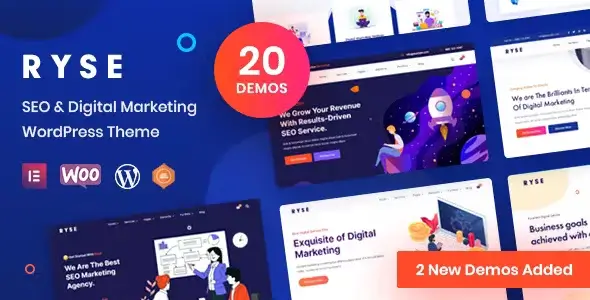
State: Unlimited Usage


$5.99
State: Unlimited Usage
Original GPL Package
We redistribute the original GPL-licensed package files. Nodub.com is an independent service and is not affiliated with the original developer or ThemeForest.
Technical Support
Expert help with any technical issue. Dedicated Nodub.com support is included. Official support from the original vendor is not included. Read our Support Policy.
Guarantees and Safety
100% safe, fully functional product. Completely risk-free for every customer. 14-day full money-back guarantee. Read our Refund Policy.
I spent a weekend poking Ryse – SEO & Digital Marketing Theme on a staging install, and yeah, it works. Not “works if you pray and disable half your plugins” works — actually usable. Elementor runs the main layouts, the demo import didn’t explode, and the agency-style pages look decent without me redesigning everything from scratch.
But wow, some decisions feel like they were made at 2:40 AM after too much coffee. Ryse – SEO & Digital Marketing Theme ships with nice sections, slick hero blocks, service cards, counters, case study layouts — all the usual marketing-site candy — but the front-end payload is not exactly monk-level clean.
I tested a GPL build of Ryse – SEO & Digital Marketing Theme locally and on staging. It was fully working, no domain lock, no weird “one site only” nag screen, basically Unlimited Website Usage from a practical dev point of view.
Activation was boring, thankfully. The theme itself didn’t need a key just to run. Demo import worked after installing the required plugins: Elementor, RadiantThemes Addons, RadiantThemes Custom Post Type, and Contact Form 7. For updates, I did it manually: backed up /wp-content/themes/ryse/, uploaded the newer theme folder, kept my changes in /wp-content/themes/ryse-child/. If you want official auto-updates and support, buy the ThemeForest license. Simple as that.
Most visual edits in Ryse – SEO & Digital Marketing Theme are Elementor-side. Home sections, service blocks, testimonials, pricing tables — all editable from Pages -> Edit with Elementor. No mystery there.
Typography and colors were mostly under RadiantThemes -> Theme Options -> Typography / Color Scheme in my install. Some header bits were also adjustable from Appearance -> Customize -> Header, but not everything. The logo, sticky header behavior, and basic menu styling behaved fine.
I actually liked the Elementor widgets. The “Radiant Button” and “Case Study” blocks saved me time. Honestly, it’s a lifesaver when the client wants “one more gradient CTA box” for the fifth time that day.
Here’s where Ryse – SEO & Digital Marketing Theme started poking my nerves. Some header markup was buried in:
/wp-content/themes/ryse/header.php
/wp-content/themes/ryse/template-parts/header/header-style-one.php
/wp-content/themes/ryse/inc/class-theme-setup.php
The footer copyright text was not fully controllable in Elementor on the demo I used. I had to override the footer template in the child theme instead of hacking the parent like an animal.
I also found inline CSS dumped into the head from theme options. Not fatal, but when I opened DevTools -> Elements and saw a fat <style> block before my actual stylesheet, I had that familiar WordPress-developer eye twitch.
I opened Chrome DevTools -> Network and filtered by font. Ryse – SEO & Digital Marketing Theme was loading multiple Google Font weights I didn’t even use: 300, 400, 500, 600, 700. Why? Because apparently every heading needs emotional support.
My fix was blunt. In the child theme functions.php, I dequeued the extra font handle after checking the actual handle name in Query Monitor:
add_action('wp_enqueue_scripts', function () {
    wp_dequeue_style('ryse-google-fonts');
}, 99);
Then I self-hosted only Inter 400/600/700 and loaded it from /wp-content/themes/ryse-child/assets/fonts/. PageSpeed stopped yelling quite so loudly.
The DOM was also chunky. Elementor plus animated counters plus sliders means you don’t get a featherweight site. With WP Rocket, I had to exclude jquery-core, elementor-frontend, and slick.min.js from delay, otherwise the mobile slider loaded like it had trust issues.
The mobile menu broke after JS delay. Console showed:
Uncaught TypeError: jQuery(...).slick is not a function
Classic. Ryse – SEO & Digital Marketing Theme was initializing a slider before Slick was ready. I excluded these from JS delay:
jquery-core
slick
rt-main
elementor-frontend
In WP Rocket: File Optimization -> Delay JavaScript execution -> Excluded JavaScript Files. After that, the hamburger menu and hero carousel stopped acting possessed.
For LiteSpeed Cache, same idea: Page Optimization -> JS Settings -> JS Deferred / Delayed Excludes. Add slick.min.js, jquery.min.js, and rt-main.js.
The demo import added a pile of Elementor data into wp_postmeta, mostly under _elementor_data, _elementor_css, and _elementor_page_settings. Normal, but still messy. After deleting unused demo pages, I ran WP-CLI:
wp post delete 123 124 125 --force
wp transient delete --all
wp cache flush
I also regenerated Elementor CSS from Elementor -> Tools -> Regenerate CSS & Data. Do that before blaming the theme. Learned that one the hard way.
Because delayed JS loads rt-main.js before jQuery/Slick is ready. Exclude jquery-core, slick, rt-main, and elementor-frontend.
Not fully. Basic layout yes, but deeper markup lives in header.php and template-parts/header/. Use a child theme.
Out of the box, yes, a bit. Kill unused fonts, disable extra Elementor widgets, and don’t import every demo page like a maniac.
In my GPL test, no. It ran fine without limits. Manual updates mean replacing the theme folder safely and keeping edits in a child theme.
All products we provide come only from official sources and verified developers. To confirm their integrity and safety, the archive has been scanned for viruses and malware. You can review the scan results at any time by clicking the button below.
View in VirusTotal| Feature | Nodub GPL Package | Official Vendor |
|---|---|---|
| Package files | Yes | Yes |
| GPL Redistribution | Yes | N/A |
| Official License Key | No | Yes |
| Unlimited Website Usage | Yes | No |
| Official Developer Support | No | Yes |
| Nodub.com Support | Yes | No |
| Automatic Vendor Updates | No | Yes |
| Manual Updates | Yes | Yes |
You can use any product from our store on as many websites as you like.
Single purchase includes download access for 72 hours. Future version downloads require repurchase or an active membership.
Manual updates are available to customers with active access.
Yes, we do. In most cases, you can expect a reply within 24–72 business hours. For simpler issues, we’re often able to respond much sooner.
You can contact us via live chat or open a support ticket directly from the product page — whichever is more convenient for you.
No, there are no limits. We don’t believe in restricting downloads. If you need to download a product multiple times, that’s absolutely fine.
We use professional, high‑performance storage systems to ensure downloads are fast, stable, and hassle‑free.
No, license keys are not included. In the past, license sharing and related issues caused account problems, so we decided to stop distributing keys.
That said, all products you receive are fully authentic. For items that normally require activation, we provide them pre‑activated, allowing you to install and use them immediately without dealing with license input or activation errors.
Yes — 100%. All products are original and distributed under the GNU GPL v2/v3 license.
The main difference compared to purchasing directly from the original author is that we don’t offer additional services such as custom development or one‑on‑one support. License keys are also not included. Instead, products that typically require activation are delivered ready to use, allowing installation on unlimited websites.
Yes, we stand behind our products. If you encounter an issue that cannot be resolved or a technical problem without a workable solution, we’ll do our best to help — and if necessary, issue a full refund.
Please note that refunds are not available if the product works as described but simply does not meet personal expectations. We’ve also encountered cases where refund requests were made while the product was still in use, which we cannot allow.
Our approach is simple: fairness and transparency. If you ever have a concern, just reach out — we’re always open to finding a reasonable solution that works for both sides.





Reviews
There are no reviews yet.