
State: Product Activated


Official Version
Official version provided by the developers. Licensed under the GNU GPL, allowing use on an unlimited number of sites.
Technical Support
Professional assistance with any technical issues. Support is included in the price. Read our Support Policy.
Guarantees and Safety
100% safe and fully functional product. Completely risk‑free. 14‑day money‑back guarantee. Read our Refund Policy.
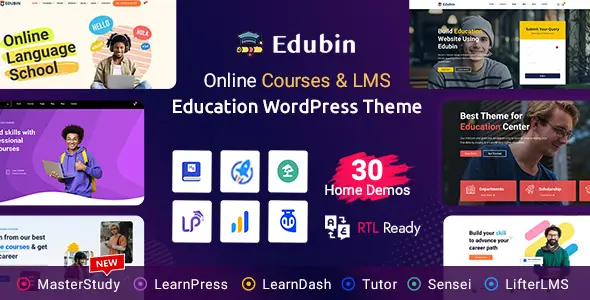
When a client needs a dedicated e-learning platform, I often use Edubin because it doesn’t force a single LMS ecosystem on you. It acts as a visual bridge, offering deep, pre-built integrations for Tutor LMS, LearnPress, and LearnDash. Instead of hacking standard blog templates to look like course catalogs, Edubin handles the specific UI requirements natively—curriculum tabs, instructor profiles, lesson pages, and course grids.
Under the hood, Edubin relies heavily on Elementor for page building and custom widgets. Global theme settings are stored in the wp_options table. But the real structural work happens in the template overrides. If you look inside the theme folder, you’ll find specific directories like /tutor/ or /learnpress/. Edubin intercepts the default LMS plugin templates and forces WordPress to load its own styled PHP files instead. Its assets (CSS/JS) are enqueued conditionally depending on which LMS is currently active, which prevents loading LearnDash scripts on a Tutor LMS site.
All products we provide come only from official sources and verified developers. To confirm their integrity and safety, the archive has been scanned for viruses and malware. You can review the scan results at any time by clicking the button below.
View in VirusTotalBecause Edubin hardcodes these LMS template overrides, it reliably breaks whenever your chosen LMS plugin pushes a major structural update. For example, if Tutor LMS updates its single-course.php layout and changes the internal PHP hooks, Edubin’s older override file will either break the layout visually or throw a fatal error. I fix this by checking the LMS system status page for “Outdated Templates.” If I see red flags, I go via FTP and rename the specific override file in the theme (e.g., changing edubin/tutor/single-course.php to single-course.php.bak). This forces the system to fall back to the core plugin’s default, unstyled template, keeping the site functional until the theme gets an update.
Another frequent issue I see is course progress bars or “Mark as Complete” buttons failing to register clicks. This is almost always an AJAX caching conflict. The LMS relies on localized JavaScript to send completion data back to the database. If you use LiteSpeed Cache or WP Rocket, I immediately exclude the LMS-specific AJAX endpoints (check your Network tab in DevTools for the exact admin-ajax.php action) and the core Elementor frontend JS from caching and deferral.
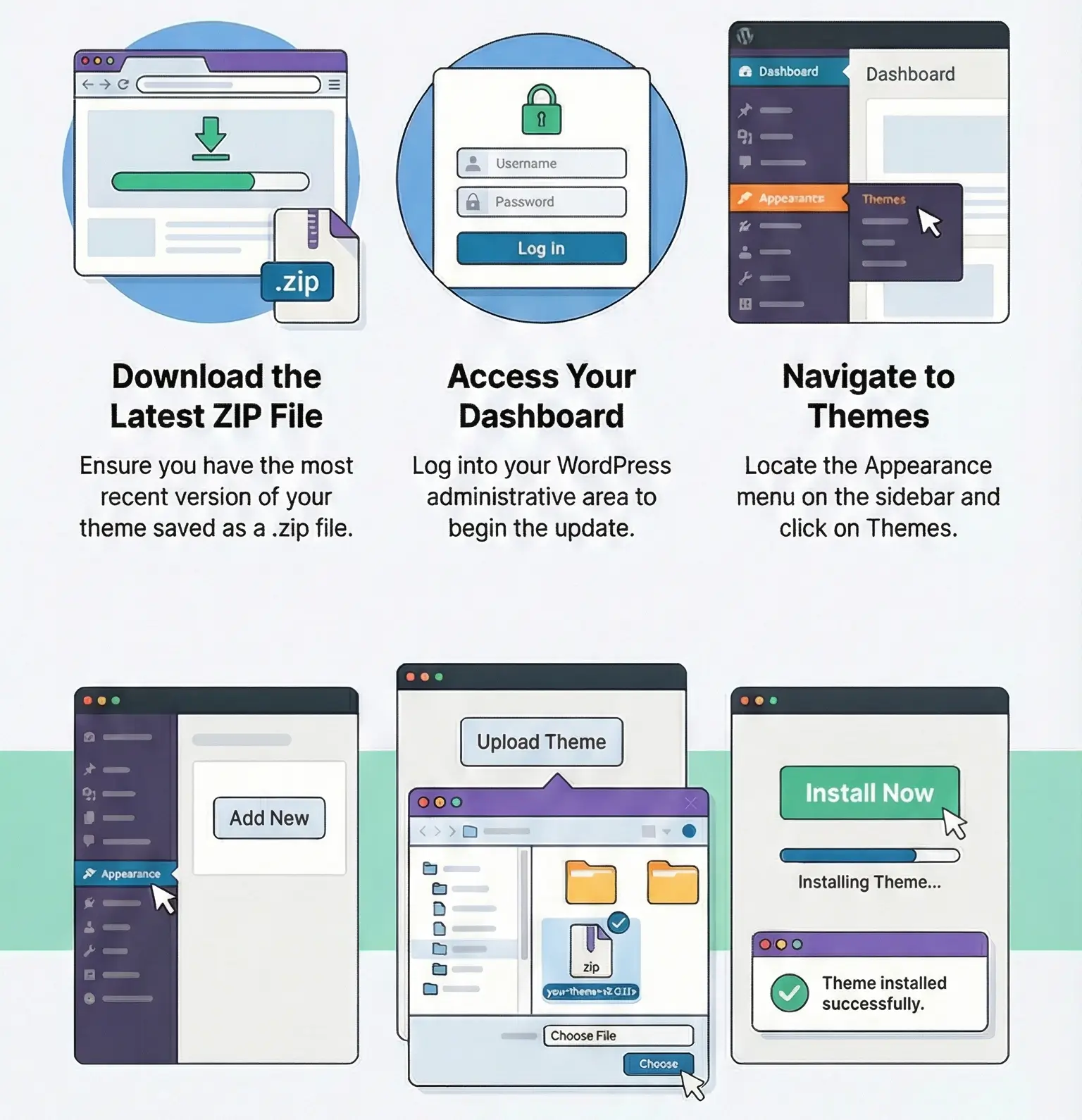
Regarding licensing, this specific copy of Edubin is activated and fully working out of the box, completely without restrictions. I’ve checked it personally. You do not need a license key to build your courses, use the custom Elementor widgets, or run the site. What you lose without an official premium key is direct developer support and one-click dashboard updates. To update manually, just download the new ZIP file, go to Appearance > Themes > Add New > Upload Theme, and let WordPress overwrite the existing files. Always use a child theme for your custom CSS or PHP hooks, otherwise, this manual update process will instantly wipe your customizations.
This is usually a transient cache issue within Elementor itself, combined with the LMS query. I fix it by going to Elementor > Tools > General and clicking “Regenerate CSS & Data”, then clearing the server’s object cache.
Edubin relies on the LMS plugin to generate the dashboard endpoints. If you recently changed your permalink structure or activated the theme, the rewrite rules are out of sync. Go to Settings > Permalinks and just click “Save Changes” to flush the rules.
While Edubin has a Customizer panel, some LMS button colors are hardcoded in the plugin’s CSS, which Edubin then overrides with high specificity. If the Customizer fails, I inspect the button in DevTools, grab the exact CSS class (usually something like .tutor-btn or .lp-button), and write a custom CSS rule with !important in the child theme’s style.css.
You can use any product from our store on as many websites as you like.
After purchasing a product, you’ll be able to download it — including the most recent version — for the next 72 hours. Once that period ends, you can either repurchase the product or switch to one of our membership plans.
With an active membership, updates are always included. You’ll have continuous access to the latest versions for as long as your membership remains active, without worrying about expiration dates.
Yes, we do. In most cases, you can expect a reply within 24–72 business hours. For simpler issues, we’re often able to respond much sooner.
You can contact us via live chat or open a support ticket directly from the product page — whichever is more convenient for you.
No, there are no limits. We don’t believe in restricting downloads. If you need to download a product multiple times, that’s absolutely fine.
We use professional, high‑performance storage systems to ensure downloads are fast, stable, and hassle‑free.
No, license keys are not included. In the past, license sharing and related issues caused account problems, so we decided to stop distributing keys.
That said, all products you receive are fully authentic. For items that normally require activation, we provide them pre‑activated, allowing you to install and use them immediately without dealing with license input or activation errors.
Yes — 100%. All products are original and distributed under the GNU GPL v2/v3 license.
The main difference compared to purchasing directly from the original author is that we don’t offer additional services such as custom development or one‑on‑one support. License keys are also not included. Instead, products that typically require activation are delivered ready to use, allowing installation on unlimited websites.
Yes, we stand behind our products. If you encounter an issue that cannot be resolved or a technical problem without a workable solution, we’ll do our best to help — and if necessary, issue a full refund.
Please note that refunds are not available if the product works as described but simply does not meet personal expectations. We’ve also encountered cases where refund requests were made while the product was still in use, which we cannot allow.
Our approach is simple: fairness and transparency. If you ever have a concern, just reach out — we’re always open to finding a reasonable solution that works for both sides.



Reviews
There are no reviews yet.