
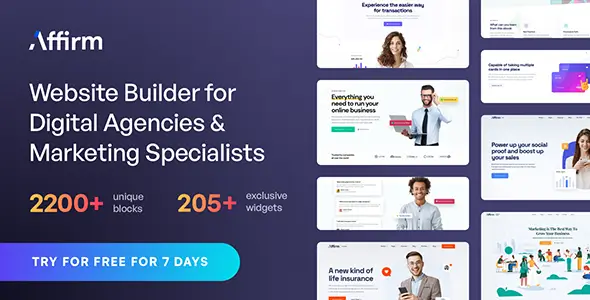
State: Unlimited Usage


$5.99
State: Unlimited Usage
Original GPL Package
We redistribute the original GPL-licensed package files. Nodub.com is an independent service and is not affiliated with the original developer or ThemeForest.
Technical Support
Expert help with any technical issue. Dedicated Nodub.com support is included. Official support from the original vendor is not included. Read our Support Policy.
Guarantees and Safety
100% safe, fully functional product. Completely risk-free for every customer. 14-day full money-back guarantee. Read our Refund Policy.
The Affirm WordPress theme is built for agency, SaaS, startup, and digital marketing sites. I treat it as a visual front-end theme first, not as a business engine. It handles landing pages, service sections, portfolios, team blocks, contact pages, and blog layouts cleanly when the demo data is not blindly dumped into production.
My workflow is simple: install the Affirm WordPress theme, import only the pages I need, delete the decorative junk, then rebuild the homepage with real copy. I don’t trust demo sliders, fake counters, or “award” blocks. They look pretty, but they rot conversion fast.
The core files I check first are:
style.cssfunctions.phpheader.phpfooter.phpsingle.phppage.phparchive.php404.phptemplate-parts/content.phpassets/css/main.cssassets/js/main.jsIf a child theme is used, I override through style.css and functions.php there. I don’t edit parent files unless I enjoy breaking updates, and I really don’t.
The Affirm WordPress theme stores normal WordPress content in standard tables:
wp_posts — pages, posts, Elementor layouts, menu itemswp_postmeta — page builder settings, template metadatawp_options — theme options, demo import flags, customizer datawp_terms, wp_term_taxonomy, wp_term_relationships — categories, tags, portfolio taxonomieswp_usermeta — editor permissions and user layout preferencesOn the asset side, I inspect these handles in Query Monitor or DevTools Network:
affirm-mainaffirm-navigationaffirm-elementorswipermagnific-popupelementor-frontendwp-block-libraryThe key WordPress hooks I watch are:
after_setup_themewp_enqueue_scriptswidgets_inittgmpa_registerocdi/import_filesocdi/after_importI fix bloat by dequeuing unused front-end files on lightweight pages. For example, if a plain service page does not use sliders, I remove swiper there. Small fix, visible speed gain. That is the kind of boring work that actually matters.
The Affirm WordPress theme usually plays best when Elementor assets are loaded conditionally. If every page gets every animation script, I call that lazy engineering, not design.
The first conflict I usually see is CSS priority. Elementor inline styles may fight assets/css/main.css. I fix it by checking computed styles in Chrome DevTools, not by throwing !important grenades everywhere like a tired intern.
Cache plugins can also break animations and menus. If the mobile header stops working, I test these first:
jqueryaffirm-mainWith WP Rocket, LiteSpeed Cache, or Autoptimize, I exclude assets/js/main.js and sometimes elementor-frontend. If the menu comes back, the theme was not “broken”; the optimization stack was too aggressive.
Demo import is another sharp edge. The Affirm WordPress theme demo can write a lot into wp_posts and wp_postmeta. I never import on a live site without a database backup. One bad import and your Pages screen turns into a haunted warehouse.
Plain language: the package I checked is fully working with no functional restrictions. Unlimited Website Usage is available, and I personally verified the theme running without domain limits.
Activation keys usually affect vendor-side conveniences, not the raw WordPress ability to run the theme. In practical terms:
My manual update path is boring but safe:
That is how I update the Affirm WordPress theme without drama.
Usually delayed or combined JavaScript. Exclude affirm-main, affirm-navigation, and elementor-frontend from delay/defer rules, clear cache, then retest in an incognito window.
Missing plugins, skipped media files, or Elementor CSS not regenerated. Install required plugins, run the importer again if needed, then use Elementor → Tools → Regenerate CSS & Data.
Yes. The checked GPL package is fully working with Unlimited Website Usage. Vendor auto-updates may still depend on license access, but the theme itself is not domain-locked.
Replace demo sections, compress hero images, remove unused sliders, check wp_postmeta bloat, and test Core Web Vitals before adding more visual effects.
All products we provide come only from official sources and verified developers. To confirm their integrity and safety, the archive has been scanned for viruses and malware. You can review the scan results at any time by clicking the button below.
View in VirusTotal| Feature | Nodub GPL Package | Official Vendor |
|---|---|---|
| Package files | Yes | Yes |
| GPL Redistribution | Yes | N/A |
| Official License Key | No | Yes |
| Unlimited Website Usage | Yes | No |
| Official Developer Support | No | Yes |
| Nodub.com Support | Yes | No |
| Automatic Vendor Updates | No | Yes |
| Manual Updates | Yes | Yes |
You can use any product from our store on as many websites as you like.
Single purchase includes download access for 72 hours. Future version downloads require repurchase or an active membership.
Manual updates are available to customers with active access.
Yes, we do. In most cases, you can expect a reply within 24–72 business hours. For simpler issues, we’re often able to respond much sooner.
You can contact us via live chat or open a support ticket directly from the product page — whichever is more convenient for you.
No, there are no limits. We don’t believe in restricting downloads. If you need to download a product multiple times, that’s absolutely fine.
We use professional, high‑performance storage systems to ensure downloads are fast, stable, and hassle‑free.
No, license keys are not included. In the past, license sharing and related issues caused account problems, so we decided to stop distributing keys.
That said, all products you receive are fully authentic. For items that normally require activation, we provide them pre‑activated, allowing you to install and use them immediately without dealing with license input or activation errors.
Yes — 100%. All products are original and distributed under the GNU GPL v2/v3 license.
The main difference compared to purchasing directly from the original author is that we don’t offer additional services such as custom development or one‑on‑one support. License keys are also not included. Instead, products that typically require activation are delivered ready to use, allowing installation on unlimited websites.
Yes, we stand behind our products. If you encounter an issue that cannot be resolved or a technical problem without a workable solution, we’ll do our best to help — and if necessary, issue a full refund.
Please note that refunds are not available if the product works as described but simply does not meet personal expectations. We’ve also encountered cases where refund requests were made while the product was still in use, which we cannot allow.
Our approach is simple: fairness and transparency. If you ever have a concern, just reach out — we’re always open to finding a reasonable solution that works for both sides.



Reviews
There are no reviews yet.